AI Agent Hands-On: A 5-Step Approach to Automating Your Daily Workflow with Intelligent Bodies
If you’re still using ChatGPT for one-question, one-answer repetitive tasks, this post will reintroduce you to the way AI is being used.In 2026, Gartner predicts that 40% of enterprise apps will have an AI Agent embedded in them, while that number will be less than 5% in 2025. Change is coming fast – the efficiency gap is already widening between those who can use Agents and those who can’t.
What’s the difference between an AI Agent and a Chatbot anyway?
Figure this out first so you can use the right tools later.
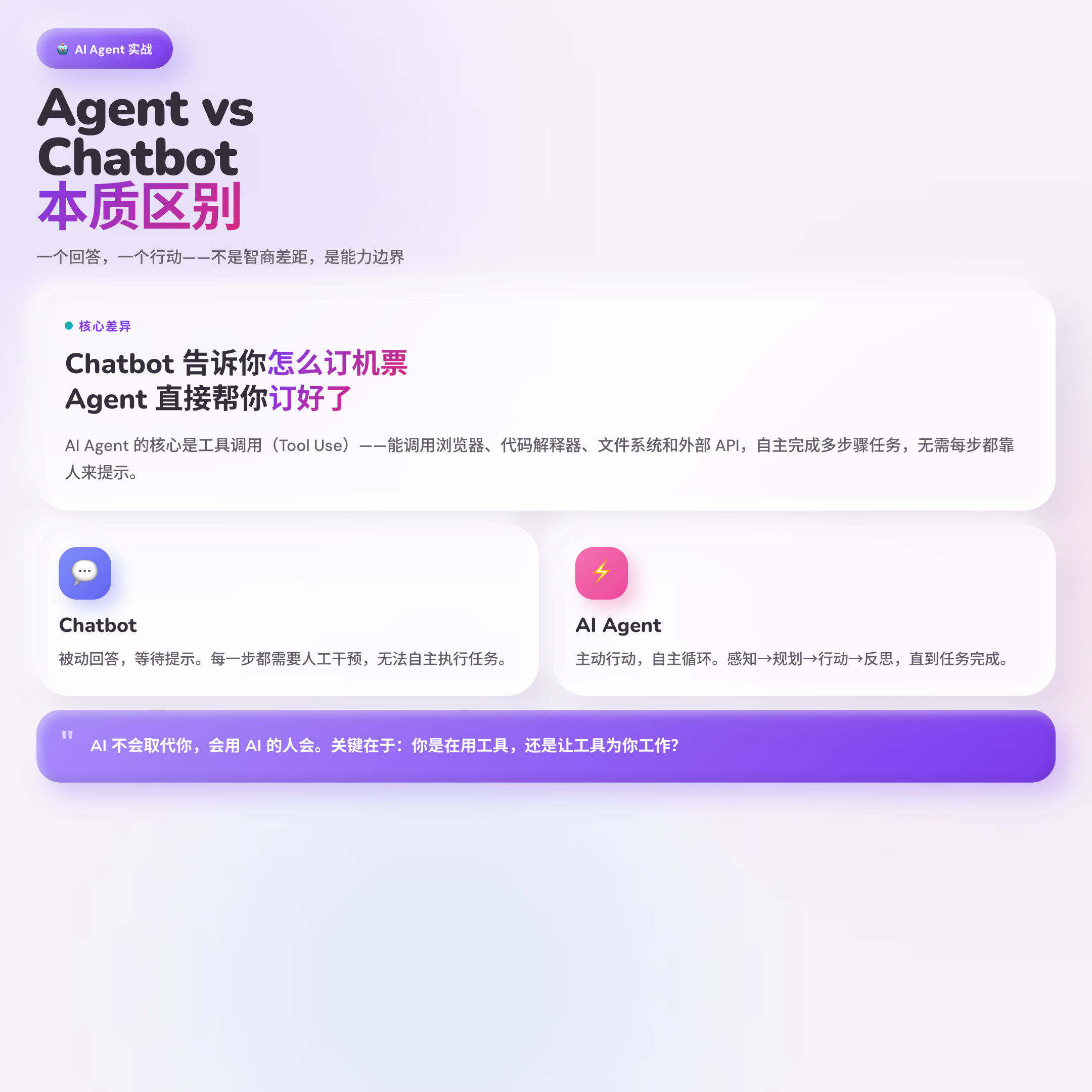
Chatbot answers questions, Agent completes tasks. This is the essential difference.
Let’s take a concrete example: if you ask ChatGPT to help you compare the pricing of 5 competitors, it will tell you “you can go to their respective websites to check it out”. With Claude Computer Use, all you have to do is say “open these 5 websites for me, extract the pricing and fill in the form”, and it will open the browser, grab the data and fill in the form by itself, without you having to intervene in the whole process.
At the heart of what Agents can do is Tool Use – they can call browsers, code interpreters, file systems, and external APIs. more critically, Agents work in a cycle: Perceive → Plan → Act → Reflect → Repeat. Act → Reflect → Repeat. When it encounters an unexpected situation, it will find a way out by reasoning on its own, instead of just reporting an error and crashing like traditional if/then automation.
**Highlight: The difference between an Agent and a Chatbot is not “smarter”, but “able to act”. **
What tasks are worth automating?
Not all tasks are suitable for Agent, and choosing the wrong task can only result in more trouble.
According to several research organizations (Gartner, McKinsey, Deloitte), the tasks most worthy of automation fulfill the following four criteria:
1) High Frequency Repetition – Something to be done on a daily or weekly basis. Occasional tasks are not worth the time to configure.
② Requires some reasoning – not something that can be solved by a fixed script, but also doesn’t require creative judgment. For example, “decide who to cc based on the content of the email”.
③ Across multiple data sources – requires switching between more than two systems. This kind of task is the most tiring to do manually, and the most rewarding to automate.
④ Quantifiable results – the ability to measure results numerically, making it easy to verify that the Agent is doing the right thing.
Meet three or more to get started. Priority is given to: mail sorting and processing, message summarization and push, data entry and synchronization, and report generation.
Equally important is the DON’T AUTOMATIZE LIST: creative strategy, high-stakes decision-making, client relationship maintenance, ethical judgment – four categories of tasks that involve human intuition and trust and are not suitable to be left entirely to an Agent.
Three real-life scenarios to see how others have landed
It’s useless to just talk about theories, it’s more direct to look at real cases.
Scenario 1: Push hot news to Telegram group at 8:00am every morning
A developer used n8n to build this workflow: a timed trigger starts at 8am every morning → grab hot news → call AI to summarize it into 5 points → send it to Telegram group. The whole process takes less than 2 hours to set up, and from now on, every morning on the way to work, there is a ready-made news bulletin in the group. This is the first really useful workflow he made with n8n, and later gradually evolved into server monitoring and alerting, enterprise knowledge base Q&A, natural language SQL query – each step is based on the previous expansion.
Scenario 2: n8n + GPT Content Omni-Channel Automated Distribution
Another developer needs to synchronize the distribution of content to five channels: LinkedIn, Twitter, blogs, YouTube and emails. He used n8n as the core engine, Google Sheets as the “single source of truth”, triggered by Webhook, GPT API to generate content paragraph by paragraph (to avoid output like machine-written), and finally through the platforms API automatically published. The whole system runs on a $5/month VPS, so you don’t need to worry about per-task billing.
Scenario 3: Claude directly manipulates the computer to fill out the Competitor’s Comparison Table
A user gives Claude Computer Use a task: “Help me open these 5 competing websites, extract the pricing figures, fill in the spreadsheet, and mark the best option.” Claude opens the sites, takes a screenshot, analyzes them, extracts the numbers, fills in the spreadsheet, and makes a recommendation. What used to take 45 minutes to do manually, Claude does in minutes.
**AI won’t replace you, those who can use AI will. **
Tool selection: how do n8n, Dify, Claude work together?
With so many tools out there, the biggest confusion for many people is “where do I start?”
n8n: universal automation platform, specializing in event triggering + multi-application integration (supports 400+ applications, GitHub 184,000 Stars). Suitable for “when something happens, automatically perform a series of operations” scenario. Can be self-hosted, without the pressure of billing by task. Low barrier to entry, with a visual interface.
Dify: AI application building platform, focusing on LLM/RAG/knowledge base (GitHub 134k Stars). Suitable for “need AI to understand the text, retrieve the knowledge base, generate answers” scenario. Comes with a dialog interface, which is convenient for making an internal knowledge Q&A system.
Optimal combination: n8n handles business trigger logic, Dify handles AI layer. For example: when mail arrives (n8n trigger) → call Dify to analyze the intent → n8n performs subsequent actions based on the result.
Claude / ChatGPT: if you don’t want to write a process and just want to go straight to a specific task, go straight to Claude Computer Use or ChatGPT Agent Mode. claude is stronger on complex reasoning tasks, ChatGPT has a higher success rate on browser manipulation tasks.
**Tools are not the goal, efficiency is. Don’t let tool selection hold you back, start with the one you know best. **
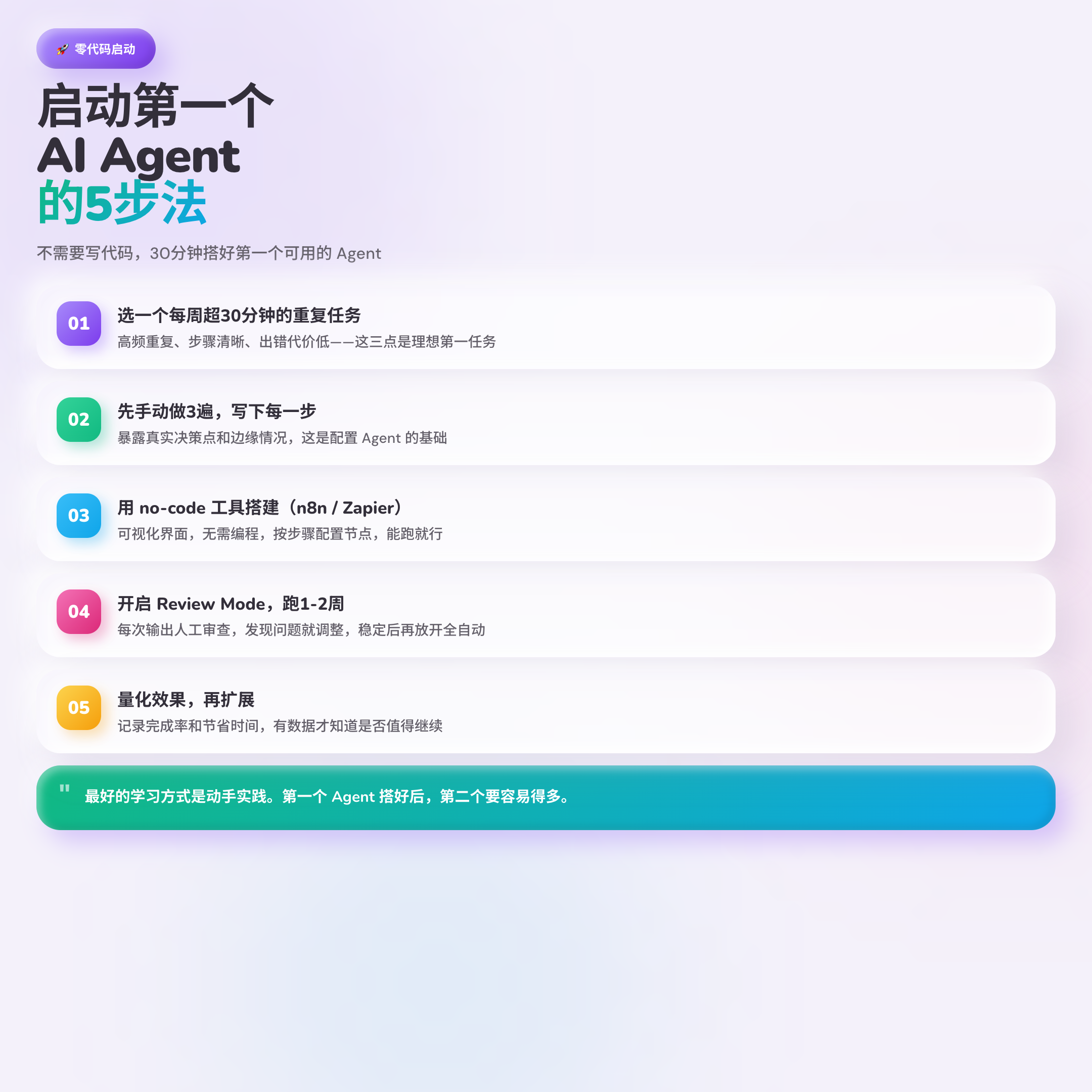
A 5-step approach to starting your first Agent
Many people are intimidated by the term “AI Agent” and think it’s complicated. In fact, it is possible to go from zero to the first usable Agent without writing a single line of code.
Step 1: Pick a recurring task that is more than 30 minutes per week
Look for it in your own work, and don’t start with the idea of “automating the whole process”. A good first task: high repetition frequency, clear steps, low cost of error.
Step 2: Do this manually 3 times first and write down each step*
This step is skipped by many, but it’s crucial. Do it manually 3 times and you’ll find out the real decision points and edge cases – these are exactly the places that need to be covered when Agent is configured.
Step 3: Build the Agent with the no-code tool
Both n8n or Zapier have visual interfaces that require no programming. Configure the nodes step by step as you write them down. It doesn’t need to be perfect the first time, it just needs to run.
Step 4: Turn on Review Mode and run for 1-2 weeks
Don’t go full automation right off the bat. Let the Agent show you the results after each execution and you review them. If you find a problem, adjust it. Make sure it’s stable before you let it go fully automated.
Step 5: Quantify the effect, then expand
Records: task completion rate, time saved, number of errors. With the data, know if it’s worth the continued investment and what task to automate next.
Written at the end
McKinsey estimates that by 2030, AI Agents will bring $2.9 trillion in economic value. But you don’t need to wait until then to get started – every hour of duplicated labor saved is a concrete, perceptible benefit.
At its core, the AI Agent is: Let the machine do the repetitive work it’s good at, and let the human do what only humans can do.
Now pick the most annoying repetitive task in your job and spend 30 minutes building an n8n workflow today. Once the first Agent is built, you’ll find the second and third much easier.
Feel free to leave a comment to discuss if this post was helpful – which task are you going to automate first?