

If you’ve ever used Claude Code, you’ve encountered this problem – you’re halfway through writing a slightly complex feature, and the context is almost full, and the Agent starts to “forget” about the previous design decisions. At this point, you either have to compact it manually, or open a new session to explain it again. What’s even more troublesome is that when a task needs to take care of three dimensions at the same time: front-end, back-end, and testing, a single Agent can only queue up to do one thing at a time, which is so inefficient that it drives people crazy.
Claude Code Agent Teams is built to solve these kinds of problems. It lets you coordinate multiple instances of Claude Code to work together like a real engineering team – with Leads coordinating the big picture, Teammates executing in parallel, and communicating directly with each other. This post explains the core findings of my research and practice.
Subagents vs Agent Teams: Figuring Out the Essential Difference Between the Two
When many people first hear about Agent Teams, they ask: Isn’t that Subagents? No, it’s quite different.
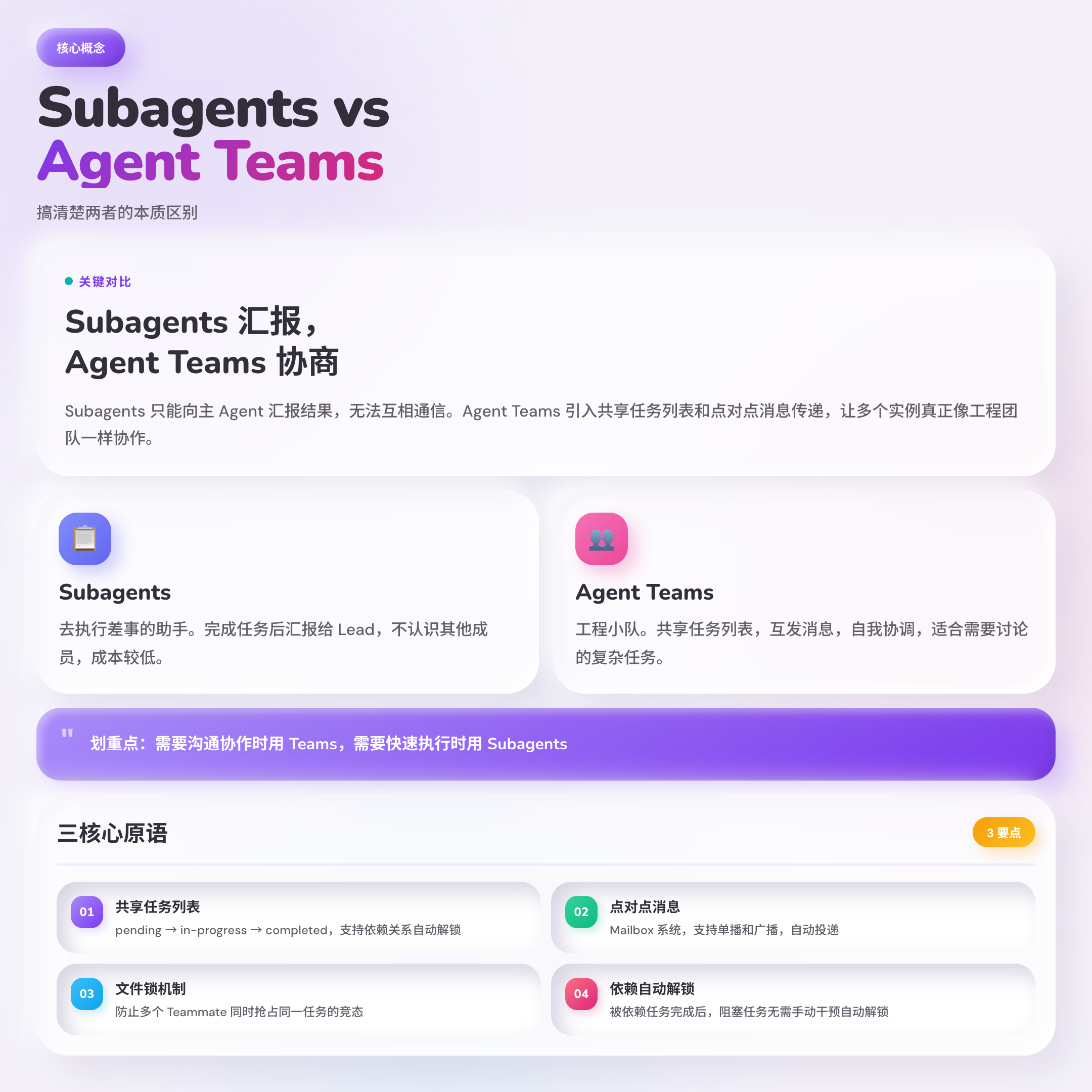
Subagents are like assistants you call in on short notice – you ask him to look up a document, he reports back to you, and then leaves at the end of his shift. He doesn’t know any of the other assistants, and he doesn’t know what anyone else is doing. You’re in charge of assigning all the work, and all the information goes through you.
Agent Teams are more like an engineering team. Each Teammate is a separate instance of Claude Code, with its own context window, but everyone shares a task list, can message each other, grab tasks themselves, and negotiate.Lead is more like a project manager than a superman who has to do everything himself.
| Dimension | Subagents | Agent Teams |
|---|---|---|
| Communication Mode | Report only to the Main Agent | Members can communicate directly with each other |
| Coordination Mechanism | Unified Management by Main Agent | Shared Task List, Self-Coordination |
| Token Cost | Lower | Higher (each member is an independent instance) |
| Token Cost | Lower | Higher (each member is a separate instance) |
**Highlight: Subagents are good for “getting things done” and Agent Teams are good for “solving complex problems together”. **
Three core primitives: the underlying mechanisms of Agent Teams collaboration
The key to understanding Agent Teams is to understand the three core mechanisms behind it. This is where it differs from Subagents.
1. Shared Task List (STL)
All Teammates see the same list of tasks. Tasks have three statuses: pending, in-progress, and completed.
What’s more, you can set up dependencies between tasks. For example, “Deploy front-end” depends on “Front-end build complete”, when the dependent task is completed, the blocked task will be automatically unlocked without Lead’s manual intervention.
Teammates can either self-claim from the list or be explicitly assigned by the Lead. There is a file locking mechanism to ensure that there is no race to the bottom when multiple Teammates grab the same task at the same time.
2. Peer-to-peer Messaging
Agent Teams has a Mailbox system that allows Teammates to send messages to each other directly without having to go through Lead. It supports two modes:
- message (unicast): sends a message to a specific Teammate
- broadcast: sends a message to all Teammates at the same time, but the cost grows linearly with the team size, use with caution
Messages are auto-delivered and the Lead doesn’t need to be actively polled – when a Teammate sends a message, the Lead receives it automatically, and the Teammate automatically notifies the Lead when he or she has completed the task.
3. Tasks are stored locally
Team configurations and task status are stored on the local file system:
– Team configuration: ~/.claude/teams/{team-name}/config.json
– Tasks list: ~/.claude/tasks/{team-name}/
This means that Claude Code manages these states automatically and does not require you to maintain them manually.
Tools are not the goal, efficiency is. These three mechanisms exist so that AI can actually coordinate AI for you, not so that you can coordinate AI.
When to use Agent Teams and when not to?
This question is more important than “how to use”. If you use it in the wrong scenario, Agent Teams won’t be effective, and it will cost you several times more in tokens.
Suitable scenarios
Multi-angle Parallel Review
PR Need to review security, performance, and test coverage at the same time? Use three Reviewer Teammates, each looking at the same piece of code from their own dimension only, and the Lead summarizes it at the end. This is much more reliable and faster than one Reviewer switching back and forth.
New features developed in parallel
Separate front-end, back-end, and database migrations with no file crossover? The perfect Agent Teams scenario. Each of the three Teammates is responsible for a piece of the puzzle, without interfering with each other, and Lead does the integration verification at the end.
Competitive assumptions commissioning
Bugs of unknown origin? Multiple Teammates are sent out at the same time, each with a different hypothesis, to debate each other and try to disprove the other’s theory. The theory that survives the “scientific debate” has a high probability of being the real root cause.
This idea is particularly counter-intuitive but valuable. Individual Agents tend to “anchor” on the first suspicious point they find, whereas parallel exploration + mutual refutation avoids this bias.
Cross-tier collaboration
A feature that spans the API layer, the business logic layer, and the front-end presentation layer? Put three Teammates in charge of each layer and coordinate interface conventions through a shared task list.
Unsuitable scenarios
- Sequential Tasks: A must be done before B, and B must be done before C – this is fine with a single Agent!
- Same file editing: Multiple Teammates writing the same file are bound to conflict.
- Large number of interdependent tasks: when dependencies are complex, the coordination overhead may outweigh the benefits of parallelism
Three real-life usage scenarios disassembled
Scenario 1: QA Swarm – Parallel Testing Blog Site
A developer needs to do a full QA of their blog: URL status codes, post structure, internal links, SEO, accessibility. If an Agent does it, it’s slow to run through all five pieces serially.
He created 5 Teammates, each with their own division of labor:
– qa-pages: validate HTTP status codes for 16 key pages
– qa-posts: checking the HTML structure and metadata of 83 articles
– qa-links: tested 146 internal links for 404s
– qa-seo: verifies RSS feeds, robots.txt and SEO metadata
– qa-a11y: audit accessibility attributes and ARIA tags
Each Agent reports the structured results via SendMessage when it is done independently, and Lead finally synthesizes and generates bug reports that are graded by severity.
This is the most “affordable” way to use Agent Teams – tasks are naturally independent, no coordination is required, and parallelism brings immediate speedup.
Scenario 2: Three-Person Review – Multi-Dimensional Code Review
Create an agent team to review PR #142. Spawn three reviewers:
- One focused on security implications
- One checking performance impact
- One validating test coverage
The three Reviewers work independently of each other, and Lead finally summarizes the findings across the three dimensions.
Interestingly, individual Reviewers tend to unconsciously favor one dimension when they do this – a security expert might miss performance issues, a performance expert might ignore test coverage. Parallelism + focusing on a single dimension produces a more comprehensive conclusion.
Scene 3: Competitive Hypothetical Debugging – A Five-Person Debate on Finding Bugs
Users report the app exits after one message instead of staying connected.
Spawn 5 agent teammates to investigate different hypotheses.
Have them talk to each other to try to disprove each other's theories.
Each of the five Teammates developed a hypothesis and tried to disprove the others’ theories. In the end, the theories that stood up to refutation were written into findings.md.
**The most dangerous thing is not to not know how, but to think you do. ** It’s easy for a single agent to stop exploring after the first “doubtful point”. The essence of the Competing Hypotheses mechanism is to use the parallelism of the AI to counter the confirmation bias of the AI.
Hands-on configuration: 5 minutes to turn on Agent Teams
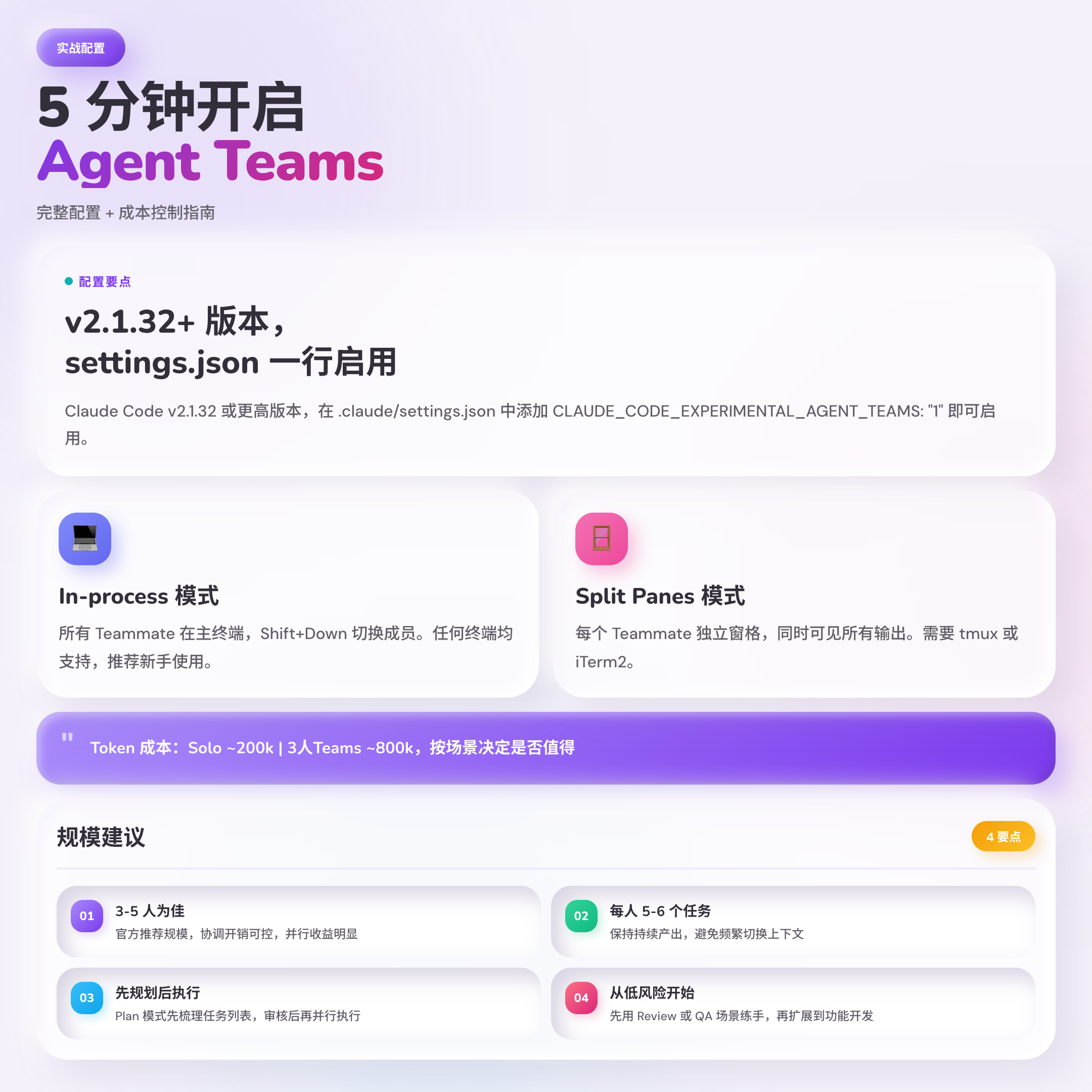
The first step: check the version
claude --version
# 需要 v2.1.32 或更高版本
Step 2: Enable Experimental Features
Add in .claude/settings.json:
{
  "env": {
    "CLAUDE_CODE_EXPERIMENTAL_AGENT_TEAMS": "1"
  }
}
You can also set it directly in an environment variable, or pass in ~/.claude.json to take effect globally.
Step 3: Select Display Mode
In-process mode (default): all Teammates are in the main terminal, use Shift+Down to switch between members. Any terminal is supported, no additional configuration is needed.
Split Panes Mode: Each Teammate has its own separate pane and can see everyone’s output at the same time. Requires tmux or iTerm2.
在 ~/.claude.json 中指定:
{ "teammateMode": "in-process" }
or single-session designation: `claude –teammate-mode in-process’
Step 4: Initiate the mission
Tell the Lead what you want in natural language. Clearly state “Create an Agent Team” and the team structure:
创建一个 Agent Team,3 个 Teammate,分别负责:
- 前端组件重构(src/components/)
- API 接口调整(src/api/)
- 单元测试更新(src/tests/)
Lead creates teams, assigns tasks, and coordinates execution based on your instructions.
Cost vs. scale: how to use it so it doesn’t go to waste
Token consumption is the biggest pitfall of Agent Teams. Each Teammate is a separate instance of Claude Code, with costs stacking up linearly:
| Mode | Token Consumption (reference value) |
|---|---|
| Single Solo | ~200k tokens |
| Three-Person Subagents | ~440k tokens |
| Three-Person Agent Teams | ~800k tokens |
** A few key recommendations:**
- Start with 3-5 people: officially recommended size, controlled coordination overhead, and obvious parallel benefits
- 5-6 tasks per person: to maintain continuous output and avoid frequent context switching
- The granularity of the task should be appropriate: too small (a few lines of code) is not worth the coordination overhead, too large (hundreds of files) is easy to run out of order
- Plan first, execute later: Let Leads first sort out the task list in Plan mode, review and then execute in parallel to prevent massive rework along the way.
Written at the end
Agent Teams represents not just a functional upgrade, but a paradigm shift – from “people coordinating AI” to “AI coordinating AI”, where people only need to set goals and do the final review.
If it’s your first time to try it, it’s recommended to start with low-risk scenarios: use Agent Teams to do code review or QA testing, instead of going straight to feature development. Once you are familiar with the coordination mechanism and cost model, you can gradually expand to more complex scenarios.
Agent Teams is still an experimental feature, there are several known limitations (In-process mode does not support /resume, VS Code built-in terminal does not support Split Panes), before you use it, you can check the official documentation for the latest status.
If you’ve tried Agent Teams, feel free to leave a comment to share your usage scenarios and pitfall experiences.