
OpenClaw Lobster × Claude Code: the right combination of poses for AI workflows in 2026
Many people compare OpenClaw (Lobster) and Claude Code as rivals – this is the most common misconception. I’ve been studying these two tools for a few months, and today I’m sharing 3 key findings: they’re not rivals, they’re partners; but most people don’t know how to use them together; and when combined correctly, the results will exceed your expectations.
Where do lobsters come from? Let’s get some context.
The name OpenClaw may be unfamiliar to you, but the “Lobster” stunt has been widely circulated in the AI community.
It has a confusing history of name changes: it was released as “Clawdbot” on January 27, 2026, renamed “Moltbot” two days later due to an Anthropic trademark complaint, and then renamed “OpenClaw” a few days later – twice in three days. Developer Peter Steinberger (founder of PSPDFKit) obviously didn’t expect the tool to become such a hit.
The imagery of Claw (claw/pincer) has led the Chinese community to spontaneously refer to it as “Lobster”, a term that accurately conveys its core capabilities: it can grab, hold, and manipulate real tools. It’s not the kind of AI that just chats, it’s the kind that gets its hands dirty.
What are the two tools?
Figure out the positioning to understand why it is used in combination.
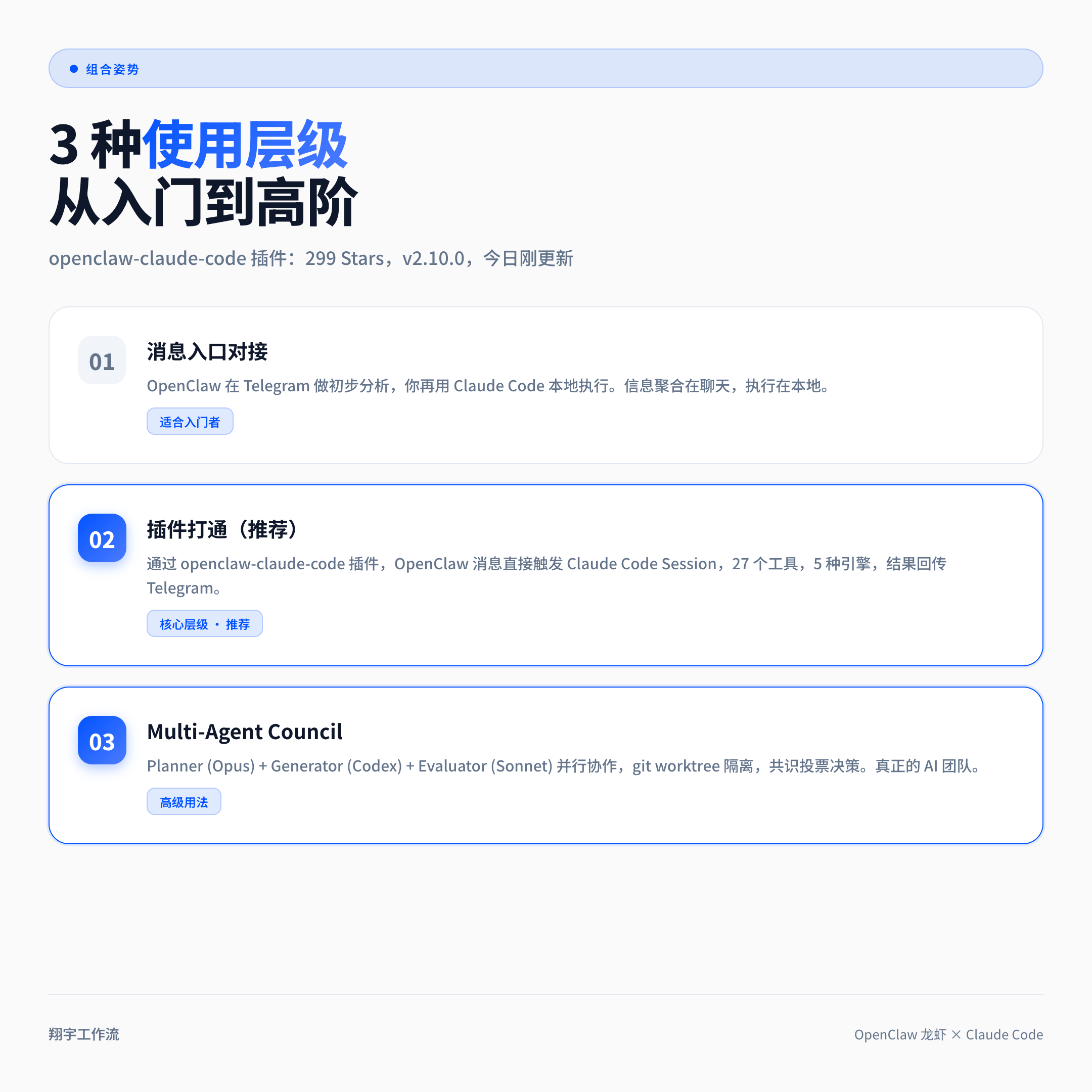
**OpenClaw: The Scheduling Layer, the “Central Nerve” of AI
OpenClaw is not a SaaS, it’s a system you run yourself. You deploy it on a VPS or Mac mini, and it’s there 24/7, connected to your Telegram, Notion, GitHub, browser, waiting for you (or your team) to give the order.
Its core value is Continuous Online + Tool Access + Identity Sense. If you give it an Identity File, and write down what it is called, what personality it has, what it is responsible for, and what permissions and boundaries it has, it turns from a generic chatbot into a branded Digital Employee.
Someone connected to Notion using OpenClaw, sent a single sentence from Telegram, and had it sync 37 sales Leads to the database, and also automatically highlighted the target customers (Moniepoint, Lendsqr, Chowdeck) that were prioritized for contact. That’s what the scheduling layer can do.
Claude Code: the executive layer, the “hands” of AI
Claude Code is a coding CLI from Anthropic designed for developer interaction. Its strengths are: deep understanding of the codebase, precise editing of files, git-awareness, and multiple rounds of dialog to keep context.
But it has an inherent limitation: Designed for interaction, it’s not suitable for programmatic invocation. You can’t drive Claude Code steadily from an automated process to get things done.
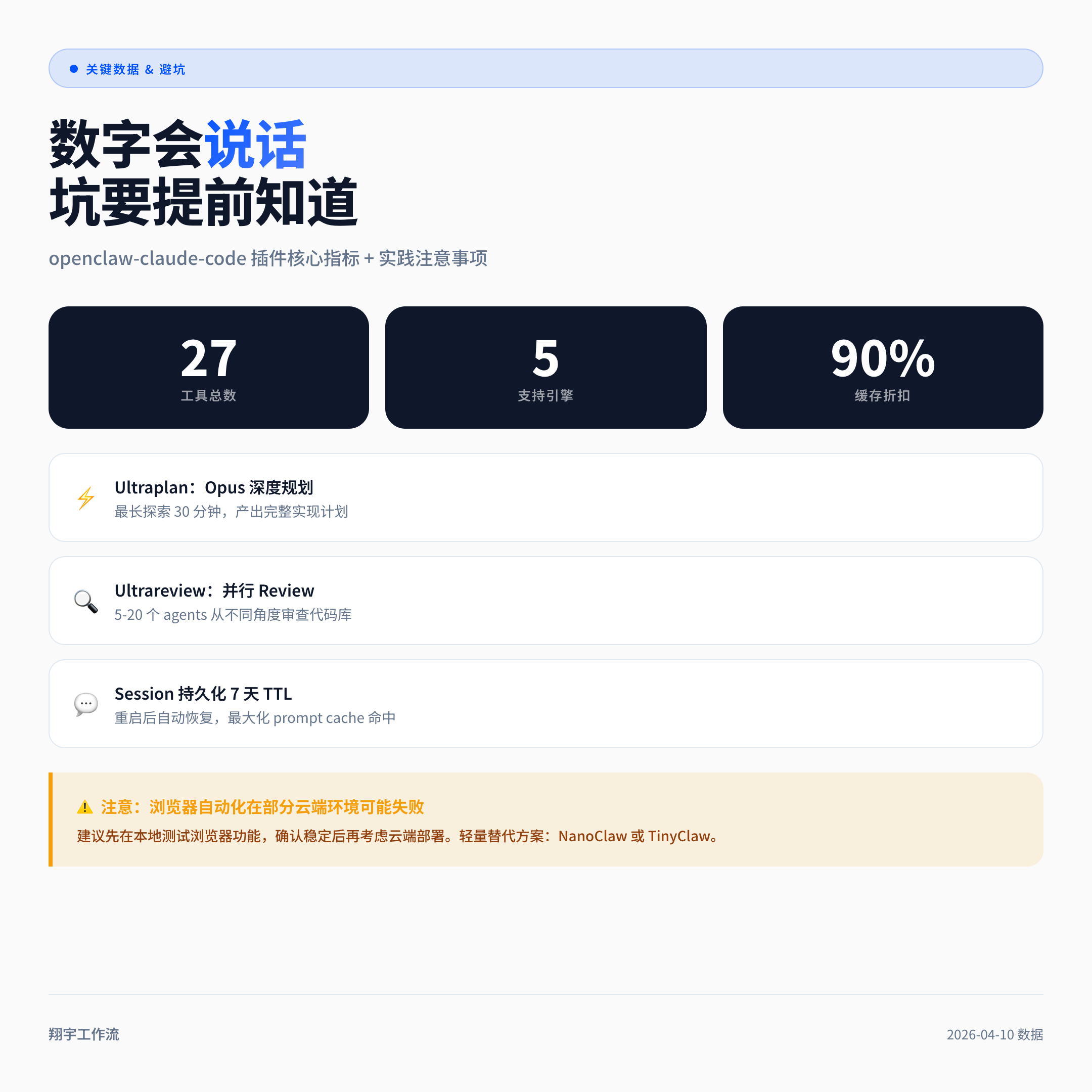
OpenClaw and Claude Code each address different efficiency issues.
The right posture for the use of combinations
This is the core component. There are three combination tiers, from simple to advanced:
Posture 1: Using OpenClaw as a message portal to manually trigger Claude Code
The simplest combination: you tell OpenClaw in Telegram “help me see if there’s any problem with this PR”, it does the initial analysis; after you get the analysis result, you open the local Claude Code to make code changes.
The advantage of this combination is that information is aggregated in Telegram and execution remains local, making it suitable for individual developers to get started quickly.
Posture 2: Passing through the openclaw-claude-code plugin
This is the key tier. There is an open source plugin on GitHub called enderfga/openclaw-claude-code (299 Stars, continuously active and updated) that specializes in solving the ” Agent programmatically drives Claude Code”.
One-click installation:
[1;34m→[0m Installing @enderfga/openclaw-claude-code via npm…
[1;32m✔[0m Installed v2.10.0 at /opt/homebrew/lib/node_modules/@enderfga/openclaw-claude-code
[1;34m→[0m Configuring openclaw.json…
[1;32m✔[0m Plugin registered in plugins.load.paths
[1;34m→[0m Restarting OpenClaw gateway…
[1;33m