
OpenClaw took down 180,000 GitHub Stars in a matter of weeks, a pace not often seen in the history of open source. But it’s not the numbers that concern me so much as the fact that it’s really changed the way I work. After using it for more than 3 months, I have some real-world insights I’d like to share – including how it can save you time, and what are the pitfalls you can just bypass.
What exactly is OpenClaw? Why it’s worth using.
Simply put: OpenClaw is an open-source AI assistant framework that you can deploy to the cloud and then access almost all major IM platforms such as Telegram, Discord, WhatsApp, Flybook, Nail and so on. After the deployment is completed, it is a 7×24 online AI colleague – with full operating privileges, long-term memory, and the ability to perform a variety of automated tasks.
The reason for its explosion is actually very simple: In the past, if you want to realize similar functions, you have to write your own Bot, build a Pipeline, and maintain a server; OpenClaw packages all of these, and cuts the threshold directly in half. OpenClaw has packaged all of this and cut the threshold directly in half.
However, I stepped in a big hole when I first got started.
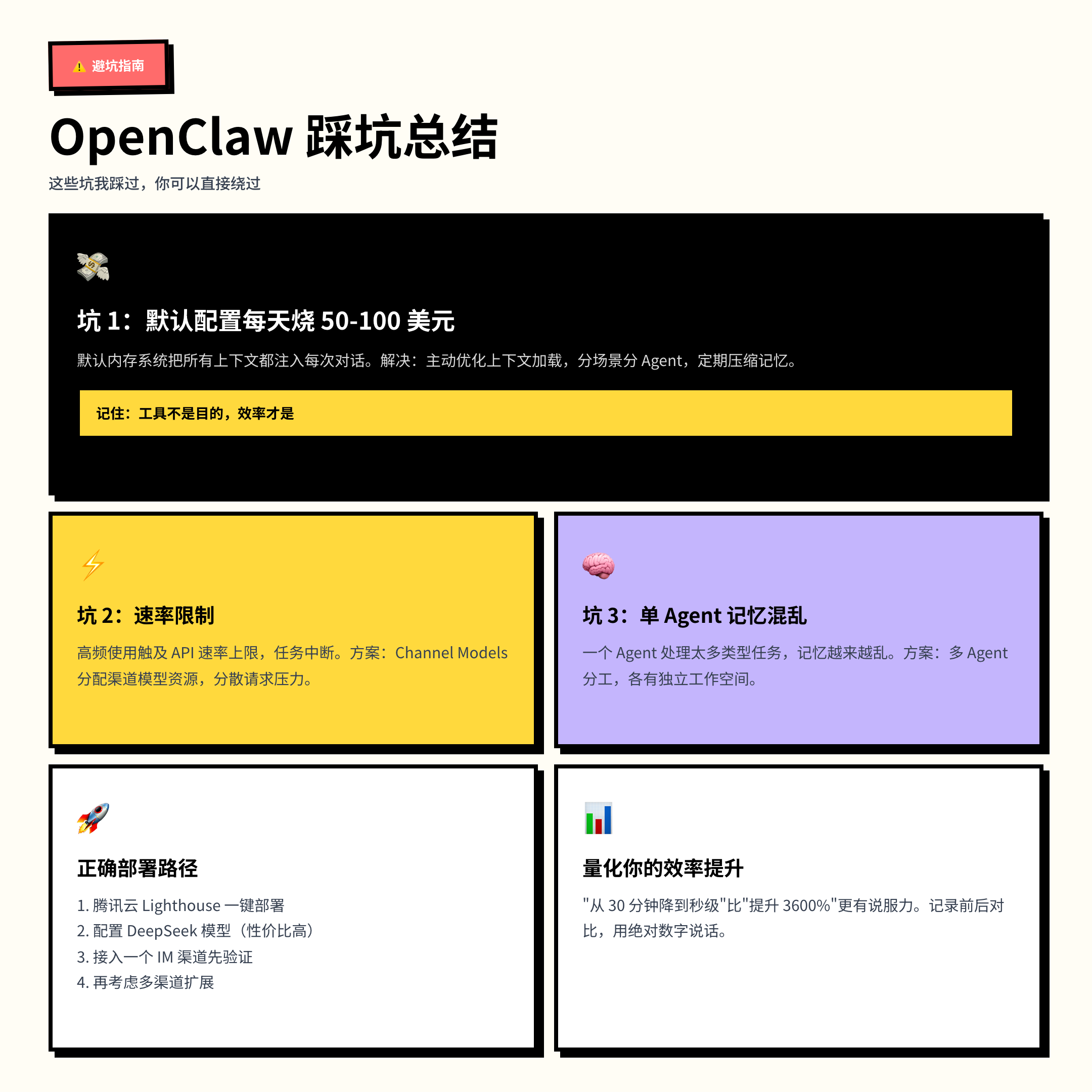
First pitfall: the cost of default configuration
A lot of people install it and use it straight away, and then are dumbfounded when the bill comes out at the end of the month.OpenClaw’s default memory system injects everything it knows into the context of every conversation – you ask it a question about a job, and it shoves your shopping list, project notes, and chat logs into the Prompt before it starts to answer.
It has been tested that API fees in this scenario can be as high as $50-$100 per day. This number isn’t scaremongering – it’s a real-life usage scenario.
The solution? ** Proactively optimize context-loading strategies instead of stuffing everything into memory. ** Specifically:
– Assign tasks for different scenarios to different Agents, and each Agent only loads contexts related to itself.
– Set up memory hierarchy, retain frequently used information and clean up low-frequency information regularly.
– Set up memory hierarchy, retain frequently used information, and clean up low-frequency information regularly. Manually trigger compression after the conversation to avoid invalid token stacking.
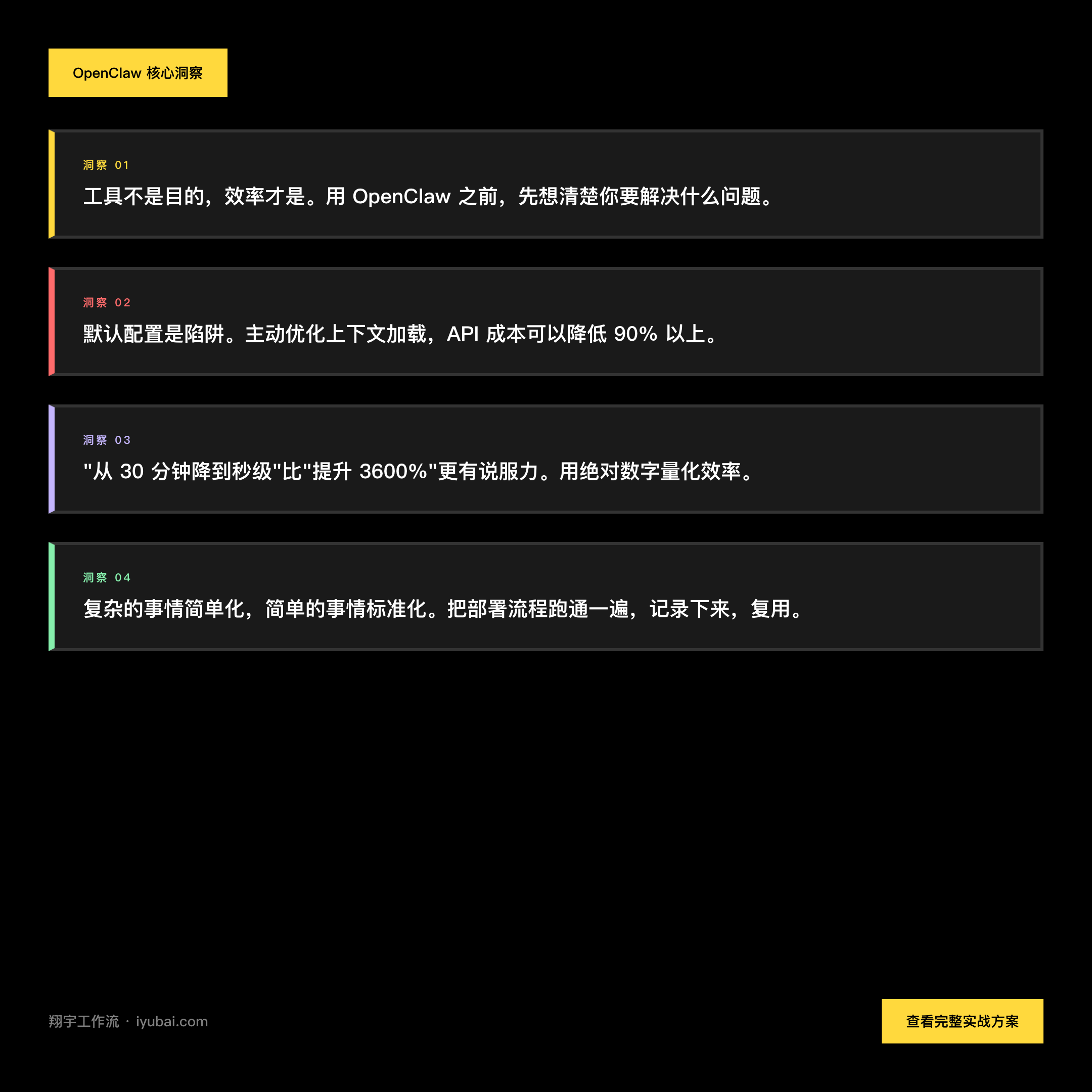
Remember this:** Tools are not the goal, efficiency is. ** If using OpenClaw makes you spend more money and do more things instead, you’re putting the cart before the horse.
My 3 core usage scenarios
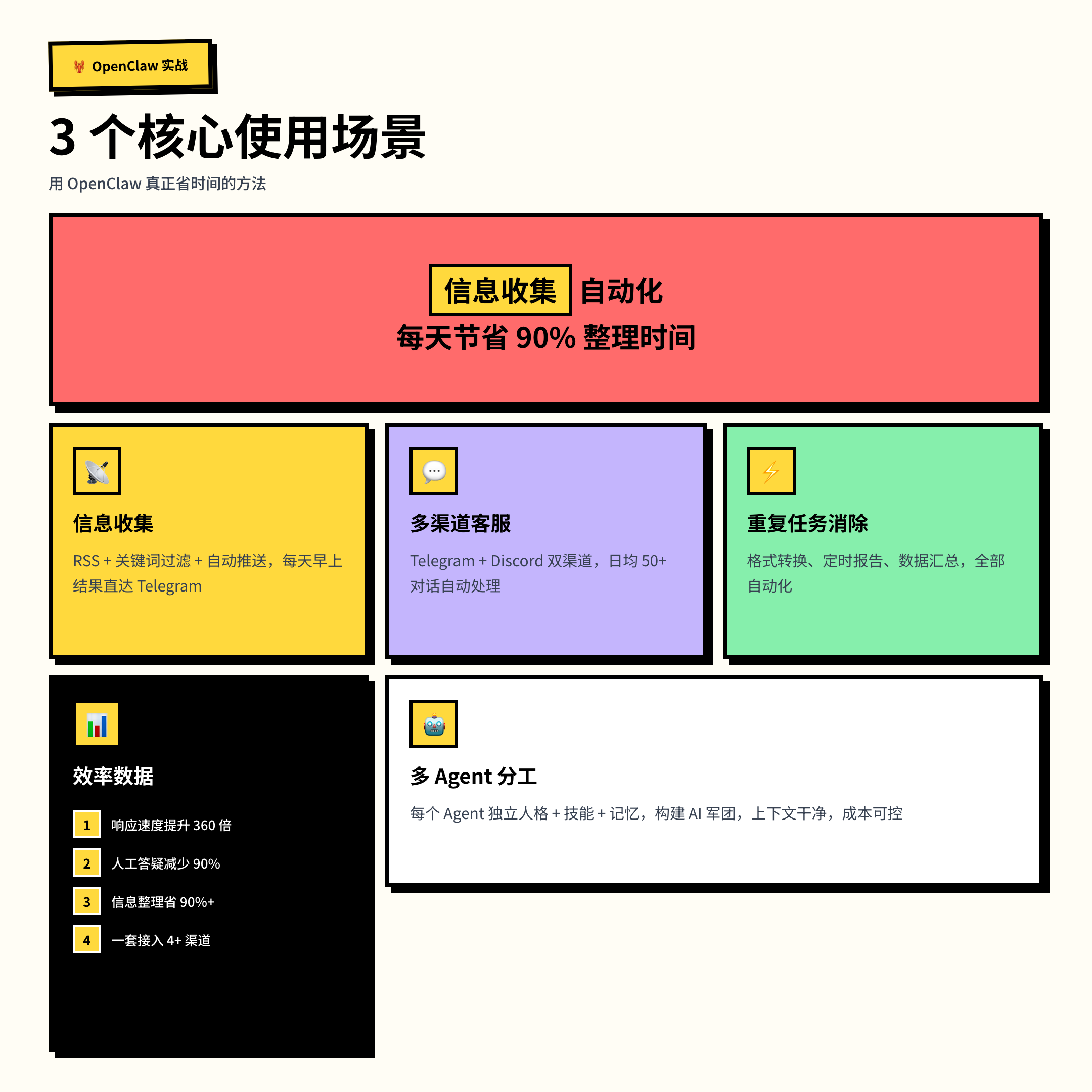
Scene 1: Automation of information gathering
I used to spend 1-2 hours a day manually searching and organizing information – reading industry news, sifting through useful content, filing it away in notes. Now this process is completely handed over to OpenClaw, which automatically aggregates and pushes according to the rules I set, and all I need to do is look at the results.
Time savings are conservatively estimated at over 90%. This is not an exaggeration, it is a real time difference.
The configuration idea is simple: set a set of feeds (RSS, specific websites) + filter keywords + push channel (I use Telegram) for OpenClaw, and send it to me automatically every morning. If you’ve used IFTTT or n8n, this logic is not new to you, but the advantage of OpenClaw is that it can do more complex content understanding and filtering, not just forwarding.
Scenario 2: Multi-Channel Customer Service/Answer Automation
I helped a community deploy a Q&A system: using Tencent Cloud Lighthouse to deploy OpenClaw in one click, configure the DeepSeek model, and access both Telegram and Discord channels.
The results are immediate: 50+ conversations are automatically processed daily, response times are compressed from an average of 30 minutes to seconds, and manual Q&A workload is reduced by about 90%.
**Highlight: Don’t just quote percentages, quote absolute numbers. ** “From 30 minutes down to seconds” is more convincing and conceptual than “3600% improvement”. The latter expression of the same efficiency improvement is rather false.
This logic also applies to other scenarios – idle fish customer service, member group Q&A, internal FAQ bots, the core is a set of OpenClaw instances connected to multiple channels, unified management.
Scene 3: Duplicate Task Elimination
There are some tasks that don’t require human involvement in the first place, but have been consuming your attention because there are no automation tools available.OpenClaw is best suited for these kinds of tasks: formatting, timed reports, data summarization, meeting minutes organization ……
Interestingly, many people who deploy OpenClaw find that it saves them time not in the scenarios you originally envisioned, but in the tasks you “thought were too small to optimize”.
Advanced: Multi-Agent Division of Labor
After using it for a while, you will encounter a problem: a single Agent handles too many types of tasks, the memory will become more and more confusing, and the Token consumption will become higher and higher.
The solution is to create a multi-agent system – each Agent has a separate personality, skill set, workspace and memory. You can think of it as: not one all-powerful employee, but a team of specialists.
- Agent A: only responsible for collecting and organizing information
- Agent B: only responsible for customer service and answering questions
- Agent C: only responsible for internal report generation
This keeps each Agent’s context clean from contaminating each other and significantly reduces API costs.
OpenClaw natively supports multi-agent configuration, you just need to create and configure them in the admin panel. This is the key step from “working” to “good”.
What’s the solution to the rate limit?
Another common problem is that high-frequency usage hits the API rate limit, causing the task to break.
There is a program called Channel Models that can solve this problem. The core idea is: different channels use different model configurations to spread the request pressure and avoid a single point of full. Specific configuration steps vary depending on the API provider used, you can refer to Alessandro Colford’s video tutorial (YouTube search “OpenClaw Channel Models” can be found).
This solution is claimed to achieve a 10x increase in efficiency, I haven’t verified this number precisely, but it’s in the right direction:** Distributed requests are more stable than single-point requests, that’s the basic truth. **
Deployment is really simple
If you haven’t started yet, you can refer to this path:
- in the Tencent Cloud Lighthouse with OpenClaw application templates for one-click deployment (stable domestic access, low cost, official activities have discounts)
- Configure the model API (DeepSeek is a more cost-effective option, cost control is important)
- access to one of your most commonly used IM channel, first verify the basic functions
- Run through before considering multi-channel expansion
The process is also a complete technical project in itself, involving cloud server management, API key configuration, Webhook integration, Linux service persistence – details that are worth doing over carefully if you’re a techie, and are real quantifiable engineering experience.
** Simplify the complex and standardize the simple. ** Run through the deployment process once, document it, and it will be faster to migrate or reuse it later.
Written at the end
OpenClaw isn’t magic, it is what it is: taking something that would otherwise require you to do manually over and over again and turning it into an automated process that runs continuously.
Before you use it, figure out what problem you’re trying to solve. Quantify the efficiency gains: how much time before, how much time after, and what is the difference. This idea doesn’t just apply to OpenClaw, it applies to all efficiency tools.
If you’re already using OpenClaw, feel free to share your real-world examples in the comments section – especially those unexpected use cases. If you haven’t started yet, now is a good time to get started, the tool is ripe for the picking.
If this article was helpful to you, feel free to leave a comment to discuss.